Product
A signed file that proves itself
When the last person signs, everyone receives one sealed PDF that carries its own evidence, and anyone can check it for free.
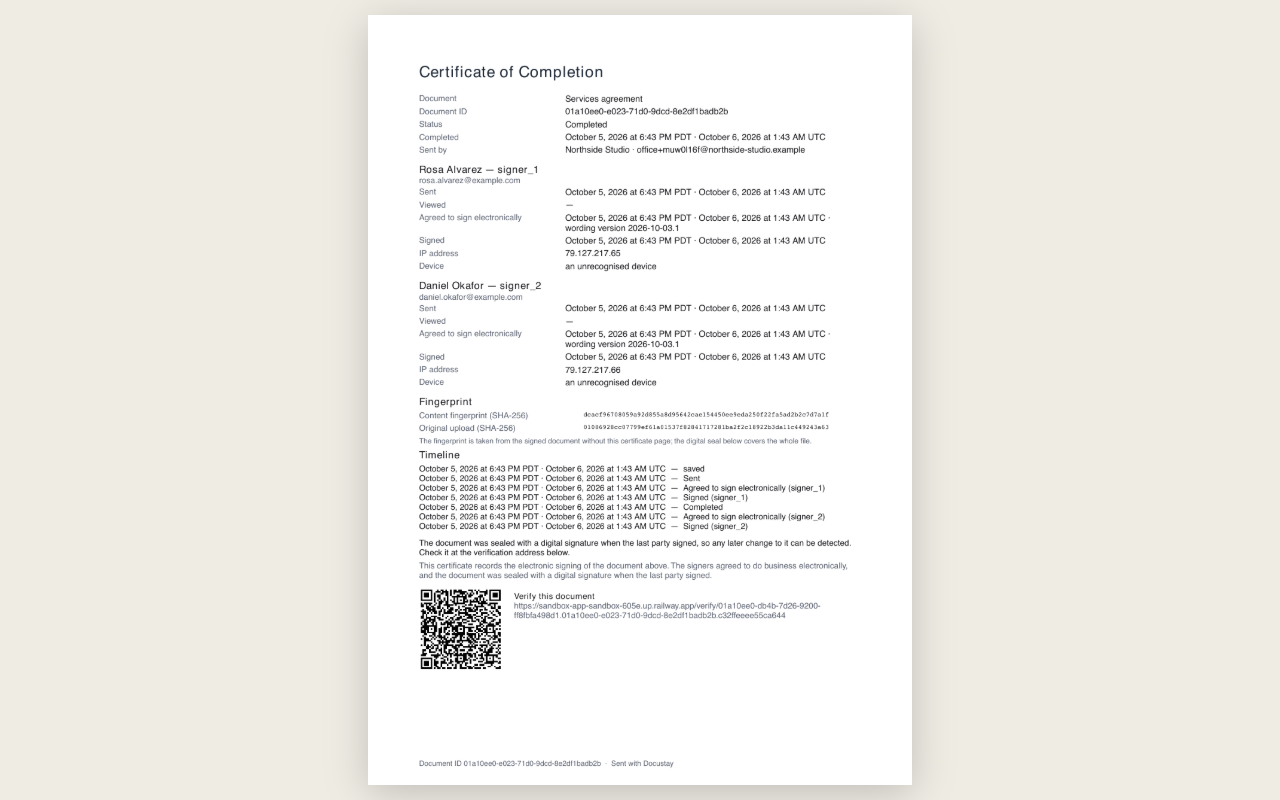
Five things in one file
- The documentAs you uploaded it, with every signature added.
- The certificate pageWho signed, when, from which address and device, and the exact wording they agreed to.
- A fingerprintA short code that changes if one character of the document changes.
- A digital sealA signature over the whole file, so any change after sealing shows.
- A trusted timestampFrom an independent time authority when it answers; the record says so when it does not.
Check any signed PDF yourself, free, in your browser: Open Verify
A worked example: checking a copy a year later
A landlord signed a lease addendum last October. This October the tenant disputes a clause. The landlord opens the signed PDF, reads the Certificate of Completion on the last page, and sees each person's name, the time they signed, the address and device, and the wording they agreed to. To show the file has not been altered, the landlord drops it on the Verify page. The page recomputes the fingerprint and checks the digital signature and timestamp, all in the browser. If one character had changed, the check would fail.
What the seal is made of
A fingerprint of the document, a digital signature over the whole file made with the Docustay certificate, and a trusted timestamp from an independent time authority. The certificate in the file names Docustay as the signer, so any PDF reader can show who sealed it.
What is not claimed
This is a simple electronic signature with a strong record. It is not a qualified signature, and Docustay does not check identity by phone code or by questions about a person's history. Whether a signature is enough for a given document depends on the document and the place; this is general information, not legal advice.
Who can read the record
The people who signed receive the sealed PDF by email, and the sender keeps it in the workspace. The Verify page is open to anyone who has the file, and it never uploads it, so a court, an auditor or a bank can check a copy without an account and without Docustay being involved in the check.
Questions people ask
Does verification need Docustay to be online?
The file carries its own evidence. The Verify page runs in your browser and does not upload the file.
Who keeps the audit trail?
It is inside the signed PDF and also in your workspace, so both survive.
Can I export every signed copy?
Yes, from the workspace at any time.
Keep reading
Start free
Create a workspace, upload a document and send it. No card needed.