Use case
Collect a signed waiver before an event or session
How consent and waivers work with Docustay.

The old way
- Clipboard at the door
- Handwriting nobody can read
- A folder of paper
With Docustay
- A link or a screen at the desk
- Typed answers, clear pages
- Searchable sealed copies
Start from a template
- Photo and media releasePermission to take and use photos or video of a person, with choices about where they appear and a way to withdraw.
- Event waiverA participant acknowledges the risks of an activity, agrees to follow the rules and confirms their emergency contact.
- Volunteer agreementAn agreement between an organisation and a volunteer: the role, what each side commits to, confidentiality, safety, and how it ends.
Three tips
- 1
Use a public link so each person starts their own copy.
- 2
Add a required checkbox for each statement.
- 3
Use test mode to try it before you share the link.
What to watch for
A person under the age of majority may need a parent or guardian to sign. Add a guardian role if that applies to you.
This is general information about how signing works, not legal advice. Rules differ by place and by document; if a document matters a great deal, ask someone qualified where you are.
A worked example
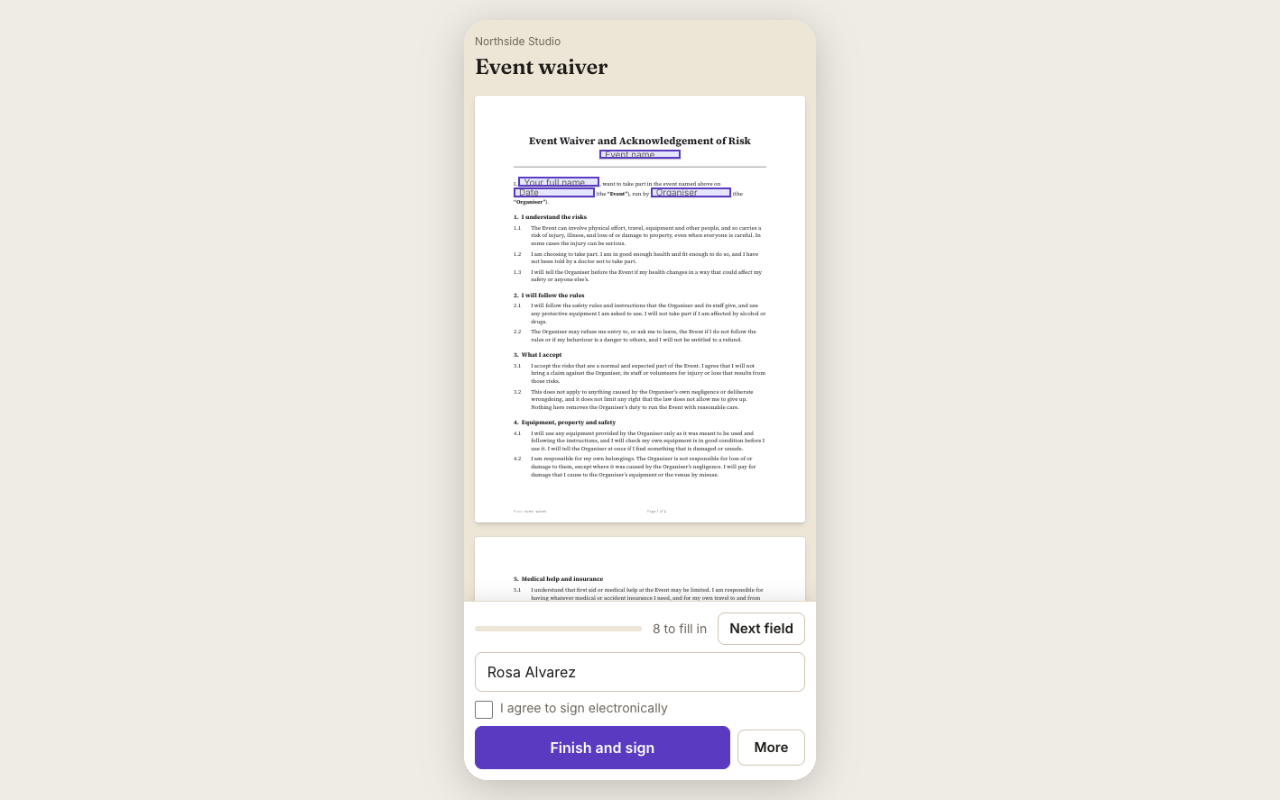
A climbing gym wants every visitor to sign a waiver before their first session. The gym puts a public link on its website and a QR code at the desk. A new visitor scans, reads the waiver on their phone, ticks the acknowledgement, enters an emergency contact and signs. The gym can search signed waivers by name, and each one has its certificate. No clipboard, no handwriting to decipher.
What to set up once
Use the Event waiver template. Add the questions you need: emergency contact, medical notes, whether the person is under eighteen. For minors, send a Parent or guardian seat instead. Turn on the public link so anyone can start their own copy.
Keeping them
Waivers stay in your workspace. You can set how long to keep them. A waiver that has been signed is not deleted inside its keep period.
Questions people ask
Can people sign at the front desk on my tablet?
Yes. In person mode lets you hand a device across and have them sign on your screen.
What about minors?
Use a seat for a parent or guardian. The Media consent for minors and Permission slip templates already do.
Can I find a waiver later?
Yes, search by name or date in the document list.
Keep reading
Send your first one
Create a workspace, upload a document and send it. No card needed.