Trust
Verify a signed PDF
Drop a signed PDF here. The check runs in this page; the file is not uploaded anywhere.
Drop a PDF
What this checks, and what it does not
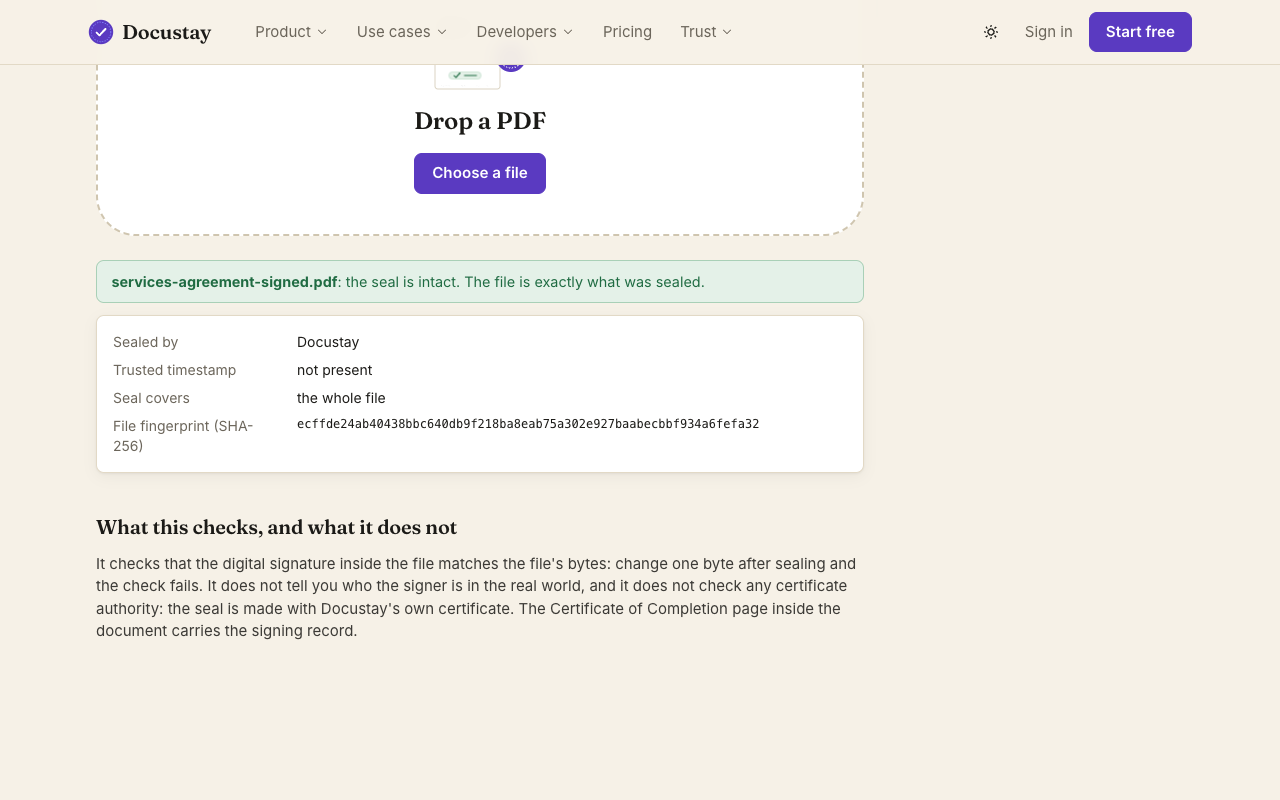
It checks that the digital signature inside the file is a correct signature, made with the certificate it carries, over exactly the bytes of the file: change one byte after sealing, or damage the signature, and the check fails. It tells you whether that certificate is the Docustay hosted service's own (by its fingerprint). It does not tell you who the signer is in the real world, and it does not check any certificate authority: the seal is made with Docustay's own certificate. The Certificate of Completion page inside the document carries the signing record.
What the check does
Drop a signed PDF into the box. The page reads the file in your browser, recomputes its fingerprint, checks the digital signature over the whole file and the trusted timestamp, and tells you whether anything changed after sealing. The file is not uploaded; nothing leaves your device.
Reading the result
A valid result means the file is exactly as it was when Docustay sealed it, and names Docustay as the signer. An invalid result means a byte changed or the file was never sealed this way. It does not say whether a signer was who they claimed to be; that is what the certificate page in the file records.
Questions people ask
Does this upload my PDF?
No. The check runs in your browser.
Is the check the same one a PDF reader does?
A PDF reader checks the digital signature. This page also recomputes the fingerprint and reads the trusted timestamp, and says it in plain words.