Use case
Onboard a new hire with the right papers
How hr and onboarding work with Docustay.

The old way
- A stack of forms on day one
- Missing signatures found weeks later
- Scans in a shared drive
With Docustay
- One package of documents in a single send
- Reminders for the ones still open
- Every signed copy kept for the period you set
Start from a template
- Independent contractor agreementAn agreement between a company and an independent contractor: the work, pay, independence, ownership of what is made, confidentiality and ending.
- Offer letterA full offer of employment: role, start date, pay, hours, benefits, conditions, notice and confidentiality, accepted by signing.
- Non-solicitation acknowledgementAn employee acknowledges and agrees not to solicit the company’s customers or colleagues for a set period after leaving.
- Employee onboarding packOne packet for a new starter, in several parts: welcome, handbook, confidentiality, equipment, payroll details and first-day information.
Three tips
- 1
Send several documents in one package.
- 2
Use the retention setting to keep records as long as you need.
- 3
Use an assistant role when someone fills a form in for the new hire.
What to watch for
Employment paperwork often has rules about what must be kept and for how long. Set retention to match yours.
This is general information about how signing works, not legal advice. Rules differ by place and by document; if a document matters a great deal, ask someone qualified where you are.
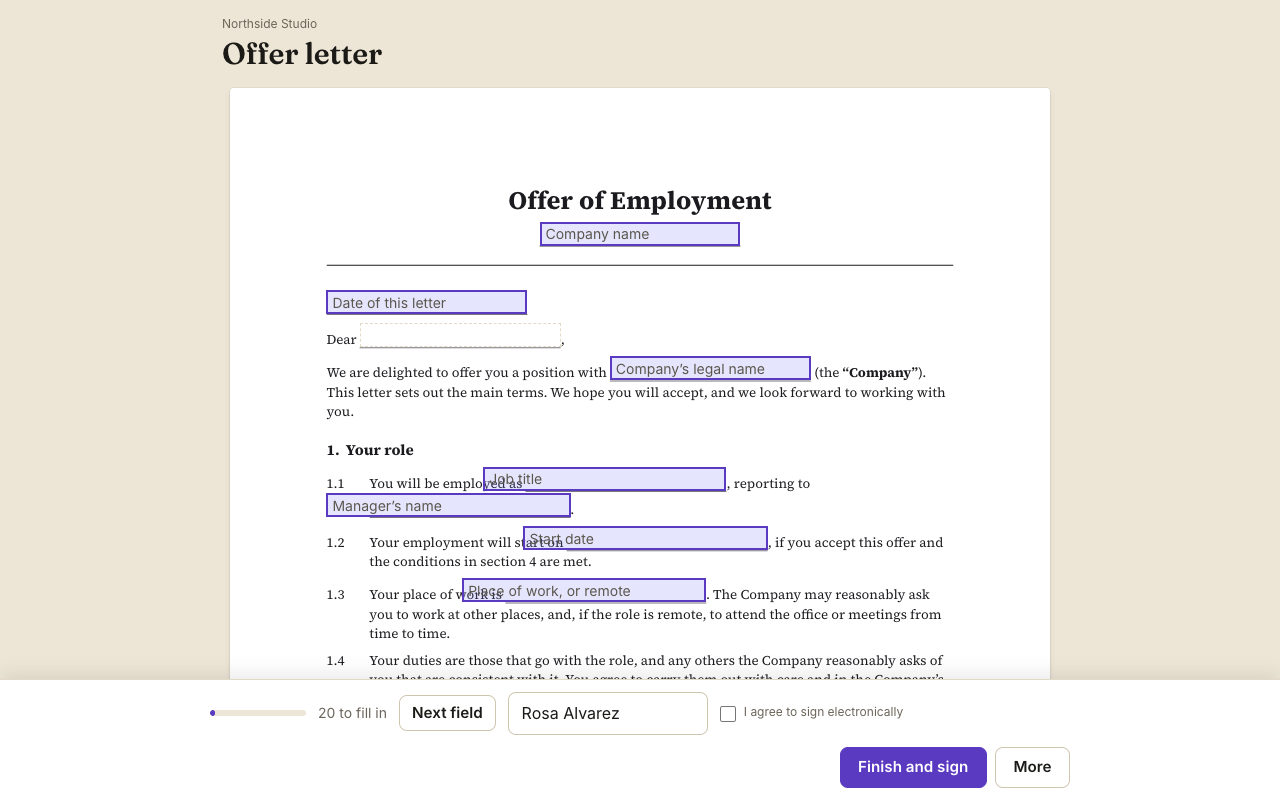
A worked example
A small company hires its fourth employee. The manager sends one package: the offer letter, a confidentiality agreement and an equipment loan form. The new hire gets one email, signs three documents in one sitting, and the manager gets three sealed PDFs. Missing signatures are visible on the first day instead of the third week.
What to set up once
Make one template for each paper and send them together as a package. Add reminders for any still open after three days. Give HR a viewer role so they get a copy without being asked to sign.
What to keep
Signed copies stay in the workspace and can be exported for the personnel file. Set how long to keep them to match your own policy.
Questions people ask
Can several documents go in one send?
Yes. A package of documents is sent once, signed together and sealed separately.
Can HR see them without signing?
Yes, with a viewer or copy-only role.
Can the new hire sign before their first day?
Yes. The link works from any device.
Keep reading
Send your first one
Create a workspace, upload a document and send it. No card needed.