Product
Signing that works on any phone
The signer opens a link on a phone, reads the document, fills in their own fields and signs. No account, no app, in their own language.
Who is on a document, and what each one does
| Role | What they do | What they see |
|---|---|---|
| Signer | Fills in their own fields, agrees to sign electronically, draws or types a signature. | Signature, initials, date, text, checkbox, dropdown, picture, file, stamp, payment |
| Approver | Approves or rejects, with a comment. | A button and a comment box |
| Viewer | Opens the document and confirms they have read it. | No fields |
| Copy only | Receives the finished, sealed file. | No page to act on |
| Assistant | Fills in fields for a signer and saves them; the signer still signs. | The signer's fields, for saving only |
A worked example: a permission slip on a phone
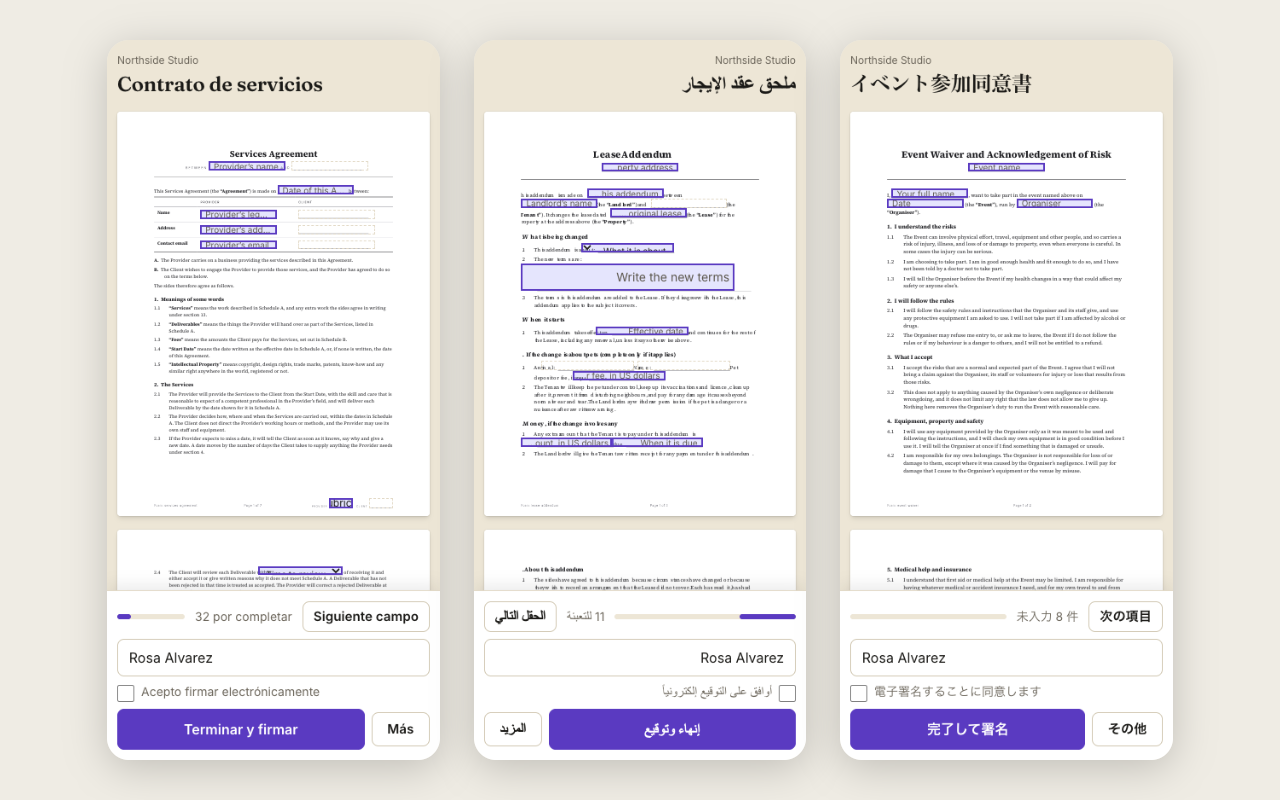
A parent opens the email on their phone. The page shows the permission slip, a bar says four fields are left, and the Next button jumps to the first. They type their child's name, tick the two checkboxes, draw a signature with a finger, tick that they agree to sign electronically and press Finish. The page says it is done, and the sealed copy reaches them by email when the last person has signed. It took about a minute and no account.
Built for a small screen first
The signing page is designed for a phone, and widens for a tablet or desktop. Buttons are large enough to press, fields scroll into view as the person moves through them, and what they have typed is kept if they come back later.
Fields check themselves
A required field stops the person from finishing until it is filled, and a text field with a rule, such as a number or an email, says what is wrong. The server checks the same rules again, so a bad value cannot get through by skipping the page.
Other people on the same document
Each person sees only their own fields as editable. A person who is not yet up is told whose turn it is. A person who cannot sign can pass the document on, and the record keeps both names.
Questions people ask
Which browsers work?
The signing page is built for current browsers on phones, tablets and desktops.
How does a signer get their copy?
By email. Everyone who signed receives the sealed PDF when the last person signs; the "you have signed" page tells them so.
What if the signer's language is not the sender's?
Each person can read the page in their own language; the document keeps the language the sender chose.
Is a typed name a signature?
Yes. The person chooses to draw or type, agrees to sign electronically, and the record keeps what they did and when.
Keep reading
Start free
Create a workspace, upload a document and send it. No card needed.