Use case
Get a services agreement signed
How contracts work with Docustay.

The old way
- Print, sign, scan, email back
- Chase people who forgot
- File the PDF by hand
With Docustay
- Send a link; signers use a phone
- Automatic reminders until it is done
- One sealed copy with its certificate
Start from a template
- Services agreementA full agreement for work one person or business does for another: scope, fees, term, ownership, confidentiality, liability and how it ends.
- Vendor agreementAn agreement under which a vendor supplies goods or services to a company: orders, delivery, pricing, quality, payment, insurance and ending.
- Invoice approvalA record of an invoice, what it is for, and the approver’s decision, signed by the person who sent it and the person who approved it.
- Equipment loan agreementA lender lends an item to a borrower: description and condition, how it may be used, return date and who pays if it is lost or damaged.
- Referral agreementA company agrees to reward a referrer when a person they introduce becomes a customer: what counts, the reward, when it is paid and the rules.
- Mutual releaseTwo sides settle a matter and release each other from claims about it, with what is settled, any payment, and what is not released.
- Payment plan agreementA customer agrees to pay an outstanding balance in instalments: the amount, the schedule, what happens if one is missed, and the first payment.
Three tips
- 1
Set signing order when one party must sign first.
- 2
Add an expiry so an old offer cannot be signed months later.
- 3
Ask for a typed or drawn signature to suit the people you work with.
What to watch for
Some documents (wills, certain property transfers, notices) have special rules about how they must be signed. Check that yours is not one of them.
This is general information about how signing works, not legal advice. Rules differ by place and by document; if a document matters a great deal, ask someone qualified where you are.
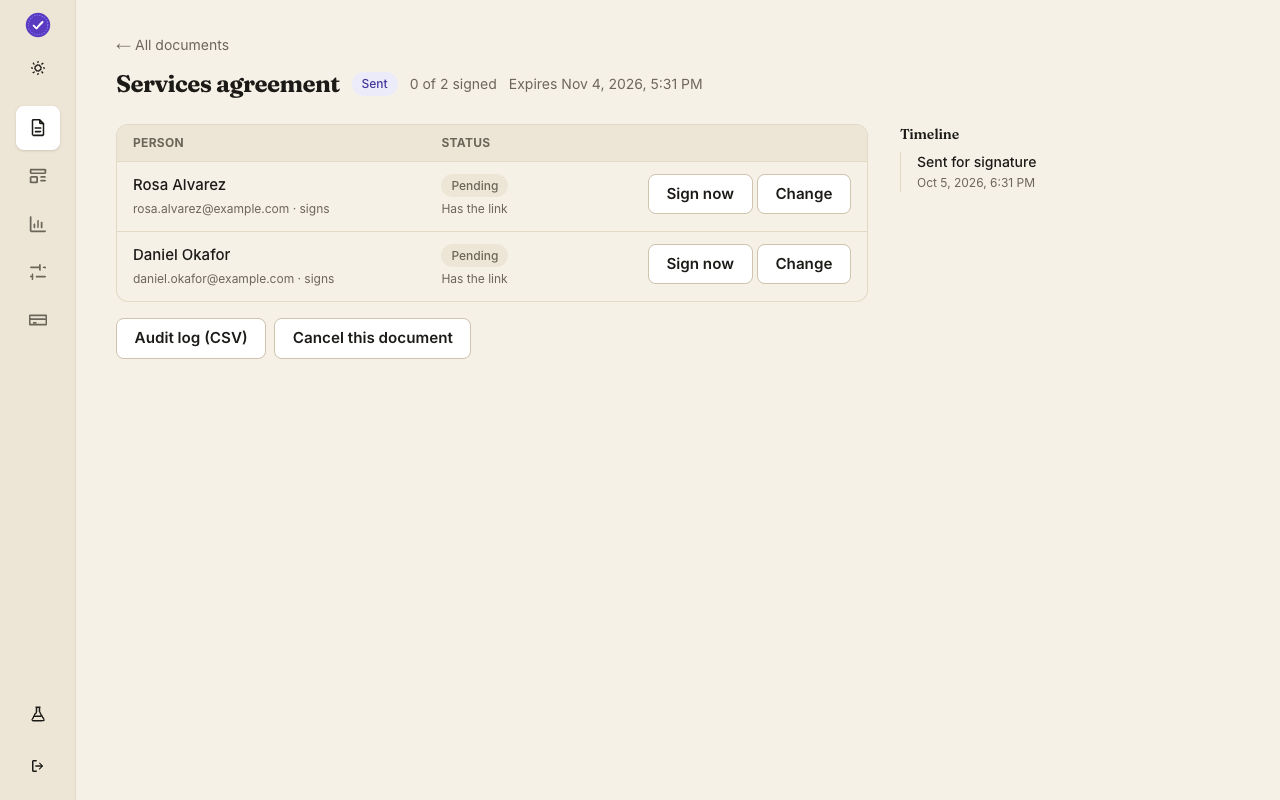
A worked example
A designer agrees a website project with a new client. She opens the Services agreement template, changes the scope paragraph and the fee, and adds two names: hers as Provider and the client's as Client. The client gets an email on Monday morning, reads on his phone, types his name for a signature and presses sign. By lunch the designer has the sealed PDF and the client has his copy. Two reminders she would have sent by hand never needed sending.
What to set up once
Save the agreement as a template with its seats and fields. Put the fee and dates in fields so each client sees the numbers specific to them. Turn on reminders at three and seven days. If you want a deposit, add a payment field so the client pays before signing.
After it is signed
Both sides keep the sealed PDF with its certificate. Your workspace lists every contract with who signed and when, so renewal dates are easy to find. Nothing is stored only on one person's laptop.
Questions people ask
Can the client sign without an account?
Yes. They open the email link and sign.
Can I take a deposit in the same step?
Yes. A payment field takes a card payment through Stripe before the person can sign.
What if the client wants a change?
Void the document and send a corrected one; the first stays in the record as voided.
Keep reading
Send your first one
Create a workspace, upload a document and send it. No card needed.